

How to Convert PDF to CSV (2026 Guide)
In this guide, you will learn how to convert PDFs to CSV accurately and at scale. We also explain how AI and OCR tools can help automate the process.
There are many tools available to convert your PDF files to CSV. Below are our top recommendations:
- Lido
- PDFTables
- Docsumo
- Amazon Textract
- Google Document AI
How to Convert a PDF to CSV
To convert a PDF file to CSV correctly, the software must understand both the text and the structure of the document. This is especially important for invoices, reports, and tables where rows and columns must stay organized.
In this guide, we will use Lido as it handles complex layouts well and converts PDF files into clean, structured spreadsheets with minimal manual editing.
Below is a step-by-step guide:
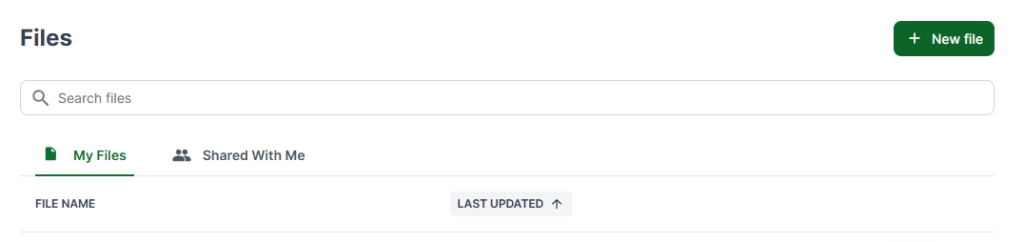
Step 1: Open a New File
Log in to Lido and click New File to open a blank spreadsheet.
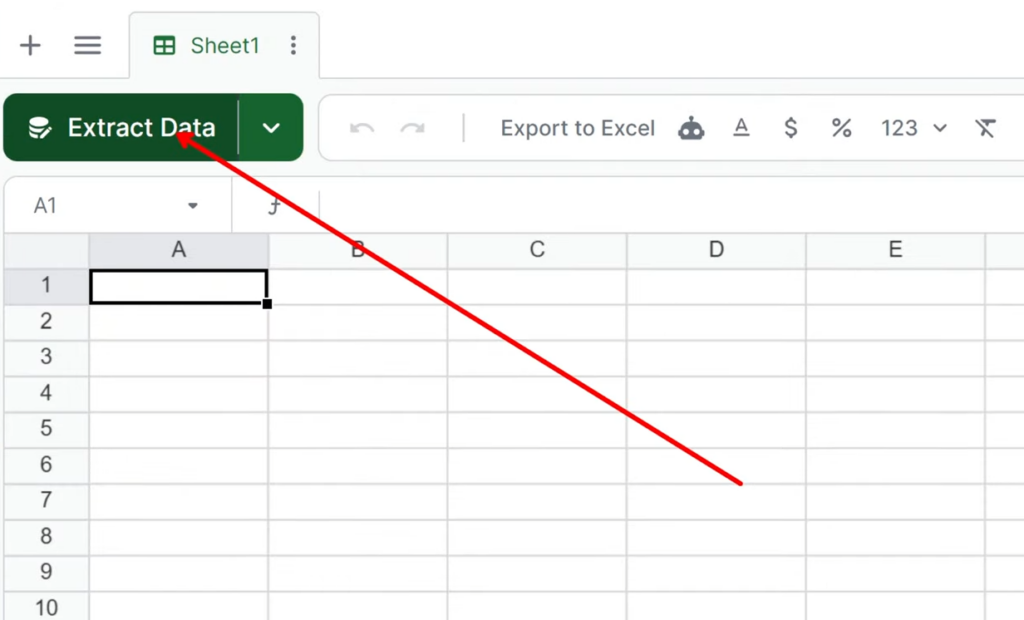
Step 2: Start the Data Extraction Process
Click Extract Data to begin converting your PDF file to CSV.
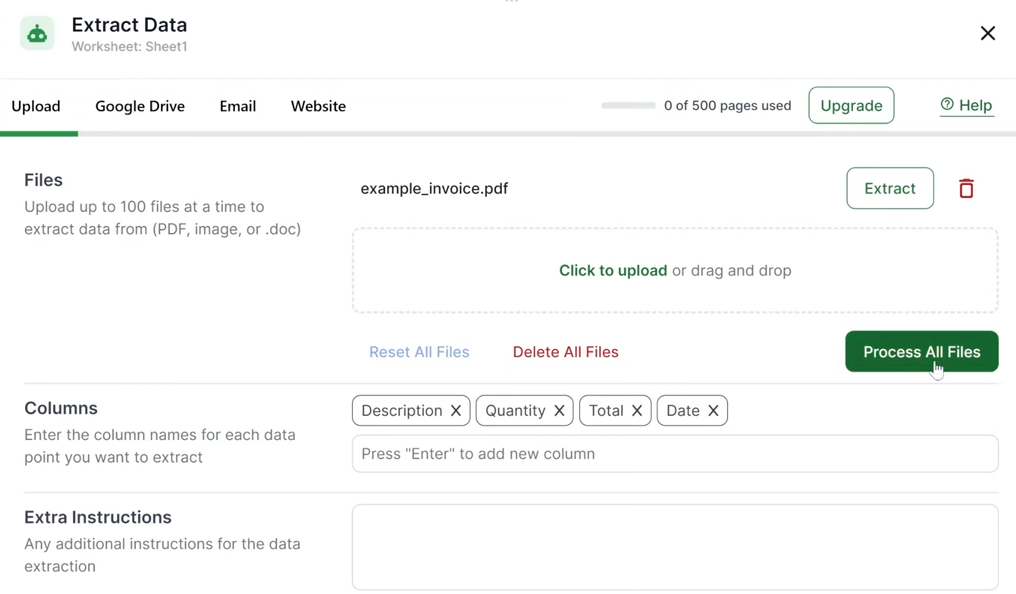
Step 3: Upload the PDF
Upload the PDF you want to convert. Lido will scan and process the file automatically.

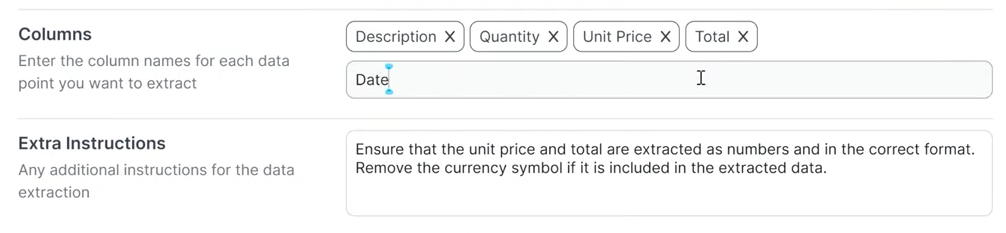
Step 4: Add or Remove Column Headers
Check the detected column names and adjust them if needed so they match your data structure.
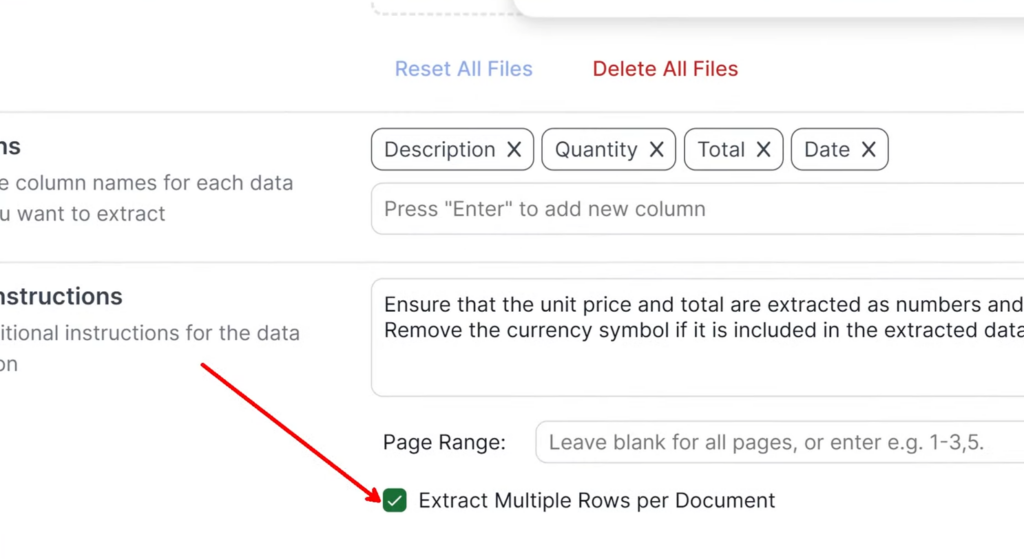
Step 5: Enable Multi-Row Extraction
If the document contains tables or repeating line items, turn on multi-row extraction so each item appears as a separate row in the CSV file.
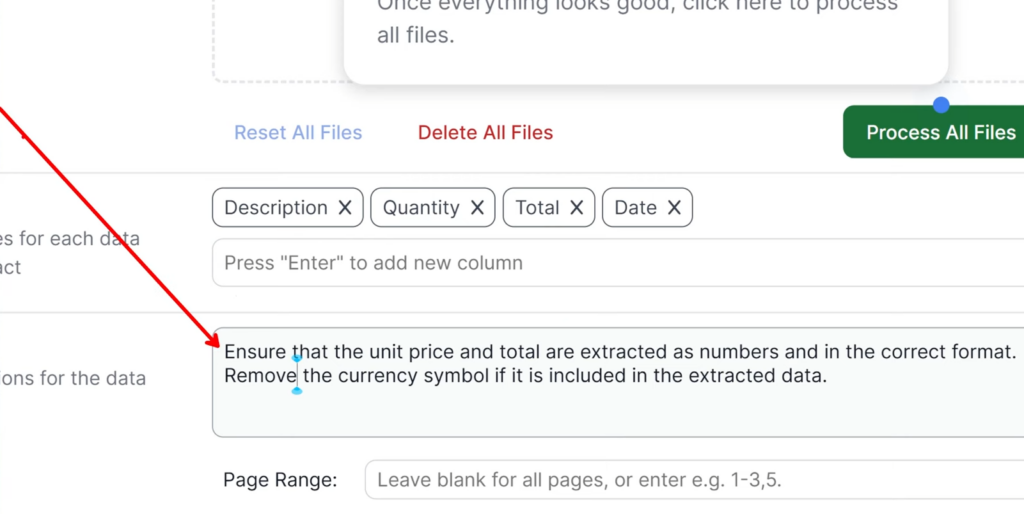
Step 6: Apply Formatting Rules (Optional)
You can add specific instructions to manage how the data will be extracted. For example, you can keep numbers in numeric format, standardize date formats, or remove extra text. This helps keep the CSV file consistent.
Step 7: Run the Extraction
Click Process All Files and Lido will automatically extract the data.
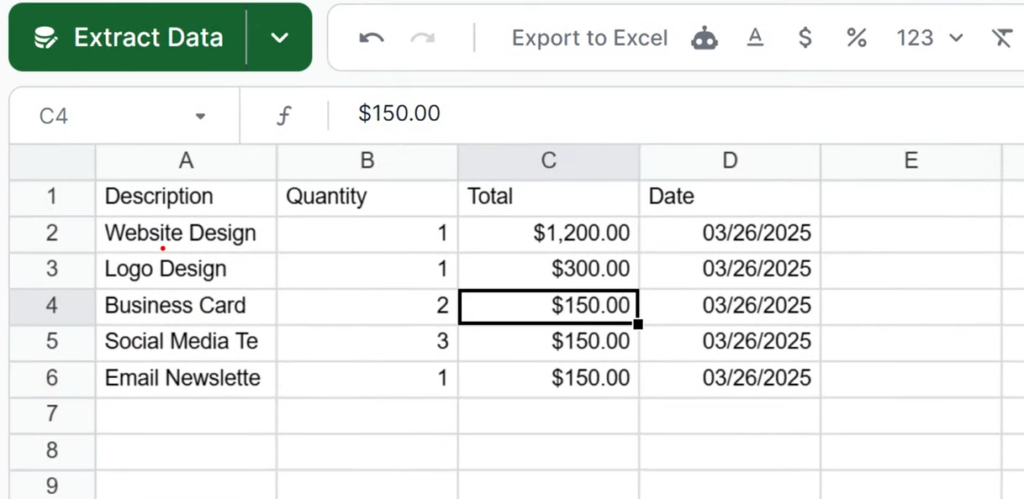
Step 8: Review the Extracted Data
Review the rows and columns to confirm the data was extracted correctly.
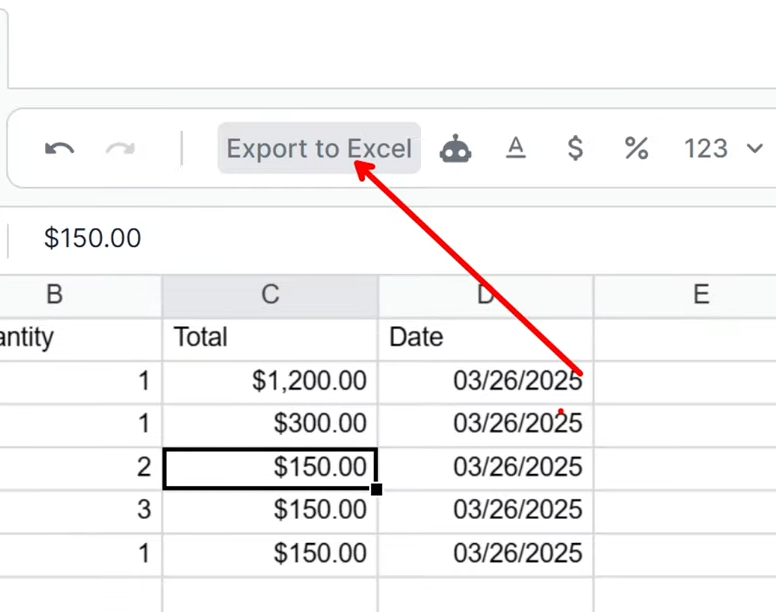
Step 9: Export to Excel
Click Export to Excel to download the CSV file.
We hope you now know how to convert PDF files to CSV format.